macOS vs Linux: Similar but Actually Different
Hey, welcome back with me, shandikadav. Today we’re gonna talk about the differences between macOS and Linux. Why do they look so similar, but actually are very different deep down? In this article, we’ll try to break it down.
This article is purely driven by my curiosity. I’ve been a Linux user for almost 4 years (disclaimer: I’m not a pro Linux user. 4 years is still pretty new, so yeah I’m not trying to act like I know everything or anything, I just enjoy exploring). Recently I’ve been thinking about using macOS as my daily driver, and I started wondering… why does it feel the same?
They both have terminals, similar package managers, basic commands like ls, cd, mkdir, rm, all feel the same, like no difference at all. Even shells like bash, zsh, or fish can run on both (this is what makes it even more confusing haha).
From that curiosity, I tried to find out whether these two operating systems were actually the same at some point. But what I found was pretty interesting. They are both UNIX-like systems, but they are actually very different.
Operating System Layers
We’ll start from the OS layers. Generally, an operating system consists of hardware, kernel, system core, userland/CLI tools, and GUI. Before diving deeper, we need to understand what each of these layers actually is—but this time a bit more technically.
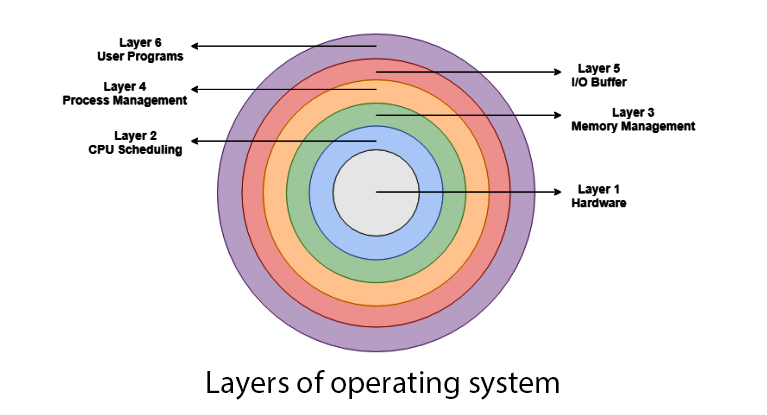
Operating System Layers
Starting from hardware, I mean… that’s pretty obvious haha. It’s basically the physical components like CPU, RAM, storage, GPU, and other peripherals. But the important thing here is, hardware itself doesn’t “understand” high-level instructions. It only understands low-level machine instructions (binary stuff). That’s why we need an OS as the middle layer.
Then we have the kernel. The kernel is like the brain of the OS, but more specifically, it’s the part that runs in privileged mode (kernel space). This means it has full access to the hardware.
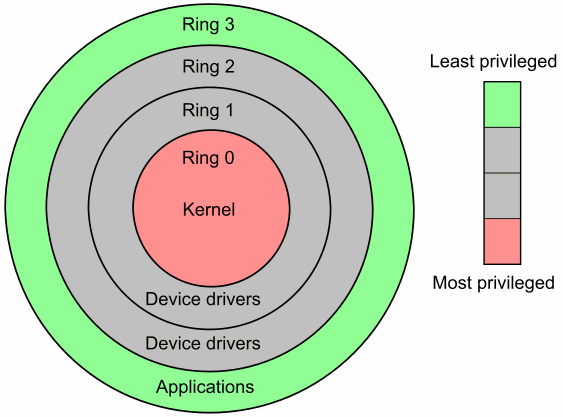
Kernel Layers
The kernel is responsible for several critical things. First, process management. This includes creating processes, scheduling them, and handling context switching (basically switching CPU attention from one process to another). Then memory management, allocating RAM, handling virtual memory, paging, and making sure processes don’t overwrite each other’s memory (this is where memory protection comes in). The kernel also handles I/O operations. But instead of letting applications directly talk to hardware (which would be chaos lmao), everything goes through the kernel via system calls. So when you read a file or access disk, you’re actually asking the kernel to do it for you. Another important part is device drivers. These are kernel-level components that allow the OS to communicate with hardware like keyboards, disks, network cards, etc. Without drivers, the OS basically can’t “talk” to hardware.
Next is the system core. This is the layer that sits between the kernel and user applications, and it’s often overlooked but super important. The system core includes system libraries (like libc), which provide standard functions that applications use to interact with the kernel. Instead of calling the kernel directly, most programs go through these libraries. It also includes system daemons and init systems.
The init system (like systemd in Linux) is responsible for booting the system and managing background services. Daemons are background processes like networking services, logging systems, etc. In some systems, this layer also includes parts of the runtime environment and low-level utilities that are essential for the OS to function properly.
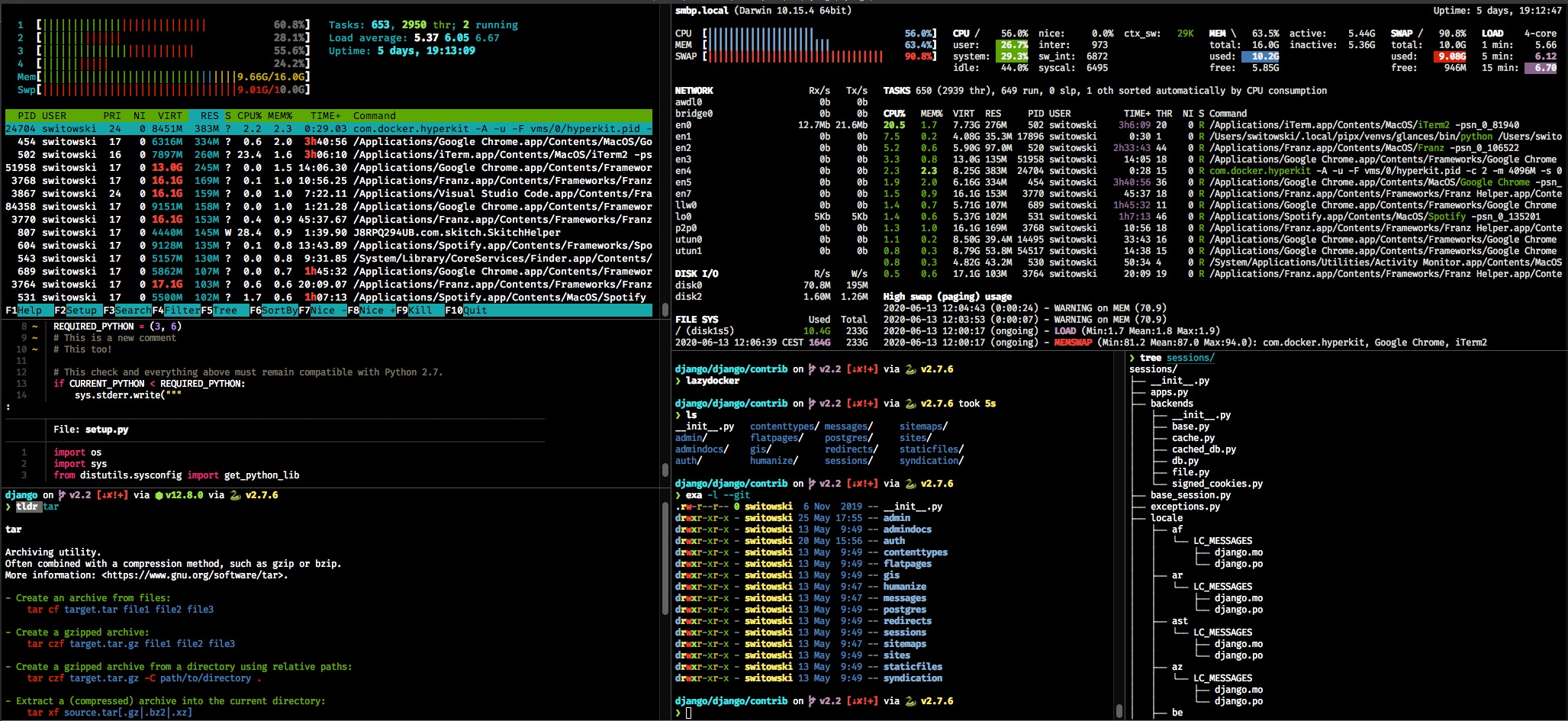
Userland/CLI Tool
Then there’s userland. This is where most of the stuff you interact with actually lives. Userland runs in user space, meaning it doesn’t have direct access to hardware. Everything it does must go through the kernel using system calls. This layer includes shells like bash, zsh, or fish, which act as command interpreters. When you type a command, the shell parses it and executes the corresponding program. It also includes CLI tools like ls, cp, grep, etc. These are just regular programs, but they rely heavily on system libraries and kernel services. One important concept here is that userland is standardized (thanks to POSIX), which is why tools and commands behave similarly across different UNIX-like systems (this is where macOS and Linux start to “feel the same”).
Lastly, there’s the application layer or GUI. This is what most users see and interact with daily.
The GUI itself is built on top of graphical subsystems (like display servers and window managers). It handles rendering windows, managing input (mouse, keyboard), and providing a visual interface for applications.
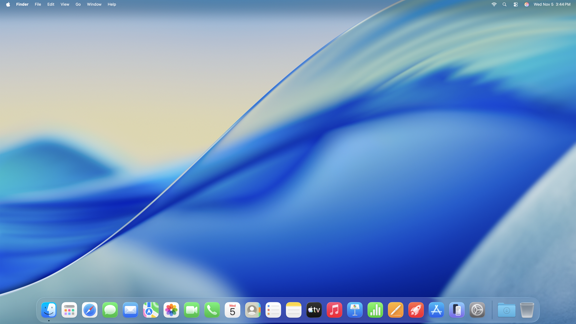
Application Layer/GUI
Applications at this layer use high-level APIs and frameworks instead of dealing with low-level system calls directly. For example, a browser or text editor doesn’t care about how memory is allocated, it just uses the abstractions provided by the lower layers.
The Root of Everything: UNIX
Now let’s dive into the history of these two OS to understand why macOS and Linux feel so similar even though they are fundamentally different.
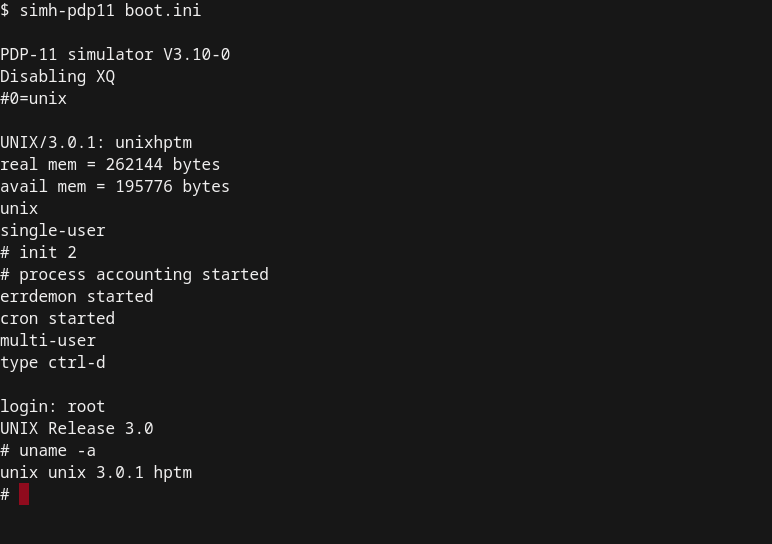
We start from the root, UNIX. In 1969, AT&T Bell Labs created an operating system that became the foundation of everything. It introduced concepts like hierarchical file systems, process control, and portable C-language implementation, which became the base of many modern operating systems we know today, including Linux and macOS.
UNIX Operating System
At that time, most operating systems were tightly coupled to specific hardware and not portable at all. UNIX changed this by being rewritten in the C programming language, which made it portable across different machines. This was a huge deal back then, because now an operating system could be moved and adapted without rewriting everything from scratch.
One of the most important concepts introduced by UNIX is the hierarchical file system. Everything is organized in a tree structure starting from the root directory (/). Files, directories, and even hardware devices are treated in a consistent way. This leads to the well-known philosophy of “everything is a file”, which is why interacting with the system feels uniform and predictable across many UNIX-like systems.
UNIX also introduced a strong and structured process model. Every running program is treated as a process with its own isolated memory space, and the operating system is responsible for managing and scheduling these processes. This made multitasking much more stable and practical compared to earlier systems.
Another important idea is how UNIX encourages building small, modular tools instead of one big complex program. Each tool is designed to do one thing well, and they can be combined using pipes (|). This allows users to chain commands together and create powerful workflows directly from the command line.
History of UNIX
UNIX also standardized how programs communicate through input and output streams. Concepts like standard input, standard output, and standard error (stdin, stdout, stderr) make it possible for programs to pass data between each other seamlessly. This is why redirection and piping feel so natural in the terminal.
On a deeper level, UNIX also established a clear separation between user space and kernel space. Applications don’t directly access hardware. Instead, they interact with the system through system calls provided by the kernel. This abstraction improves both stability and security, because one program can’t easily break the entire system.
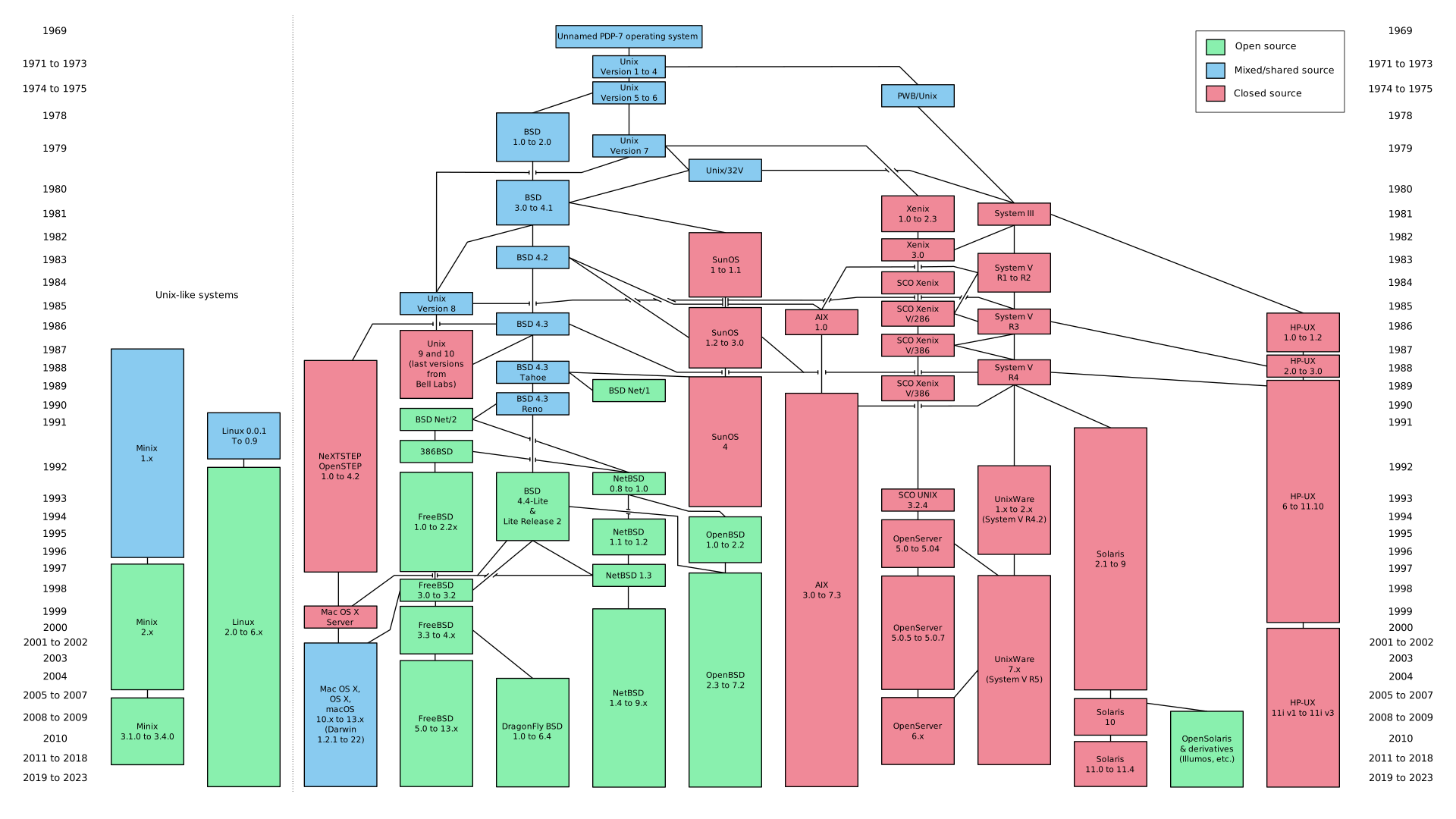
As UNIX evolved, different versions and variations started to appear. One of the most important ones is BSD (Berkeley Software Distribution), which expanded UNIX with better networking capabilities, improved memory management, and a rich set of utilities. BSD later becomes a key part in the development of macOS.
So when we talk about macOS and Linux feeling similar, it’s not just a coincidence. They both inherit the same fundamental ideas that were introduced by UNIX decades ago. The structure of the file system, the way processes are handled, the behavior of command-line tools, and even the overall design philosophy all come from the same root.
But here’s the part that often confuses people. Linux is not UNIX, it doesn’t use the original UNIX source code. It is a reimplementation that follows the same ideas and design principles. Meanwhile, macOS is directly derived from UNIX through BSD, which makes it closer in lineage.
So in a way, UNIX is like the original blueprint. macOS is a descendant that still carries its DNA, while Linux is a system that was rebuilt from scratch using the same blueprint.
And this is exactly why, when you open the terminal on both macOS and Linux, they feel almost identical. Because deep down, they are both speaking the same language that was defined by UNIX a long time ago.
The History of macOS
MacOS
Now we move into macOS history. Talking about macOS can be a bit confusing because there are many components involved like Mach, NeXTSTEP, and Darwin. So let’s go through it step by step.
We start with Mach. Mach is a microkernel developed at Carnegie Mellon University in 1985. It separates core kernel functions like low-level scheduling and memory management from higher-level OS services. The goal was to make the kernel smaller, more secure, and easier to develop. But ironically, Mach had performance issues early on and often ended up being combined with other systems.
In the 1990s, Apple was in a serious crisis and almost went bankrupt. Classic MacOS had major issues, like no memory protection and poor multitasking. So Apple acquired NeXT, a company owned by Steve Jobs (and yeah, also to bring Steve Jobs back to Apple haha).
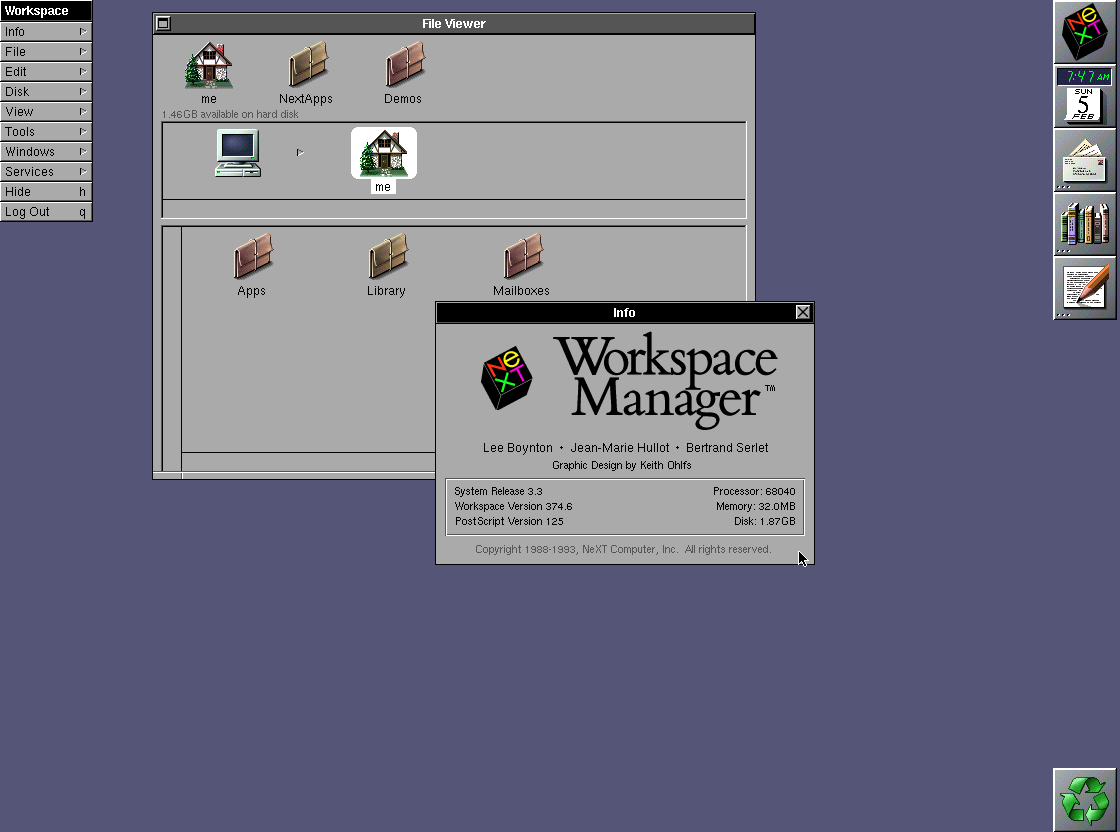
NeXT had an operating system called NeXTSTEP, built on top of UNIX and the Mach kernel, and it was already modern. It had GUI, object-oriented programming, and virtual memory, which made it the foundation of modern macOS (this was a huge turning point).
NeXTSTEP
From there, Apple developed Darwin, which is basically a combination of Mach, BSD, and low-level system components. Darwin became the core of macOS, and on top of it, there are Cocoa and Cocoa Touch, which serve as APIs and frameworks for building applications. Darwin is also the base for iOS, iPadOS, watchOS, and tvOS.
Darwin uses the XNU kernel. The name XNU is kind of ironic because it stands for “X is Not Unix” lmao. Inside XNU, there’s Mach for process and memory management, BSD for POSIX APIs, and I/O Kit for drivers.
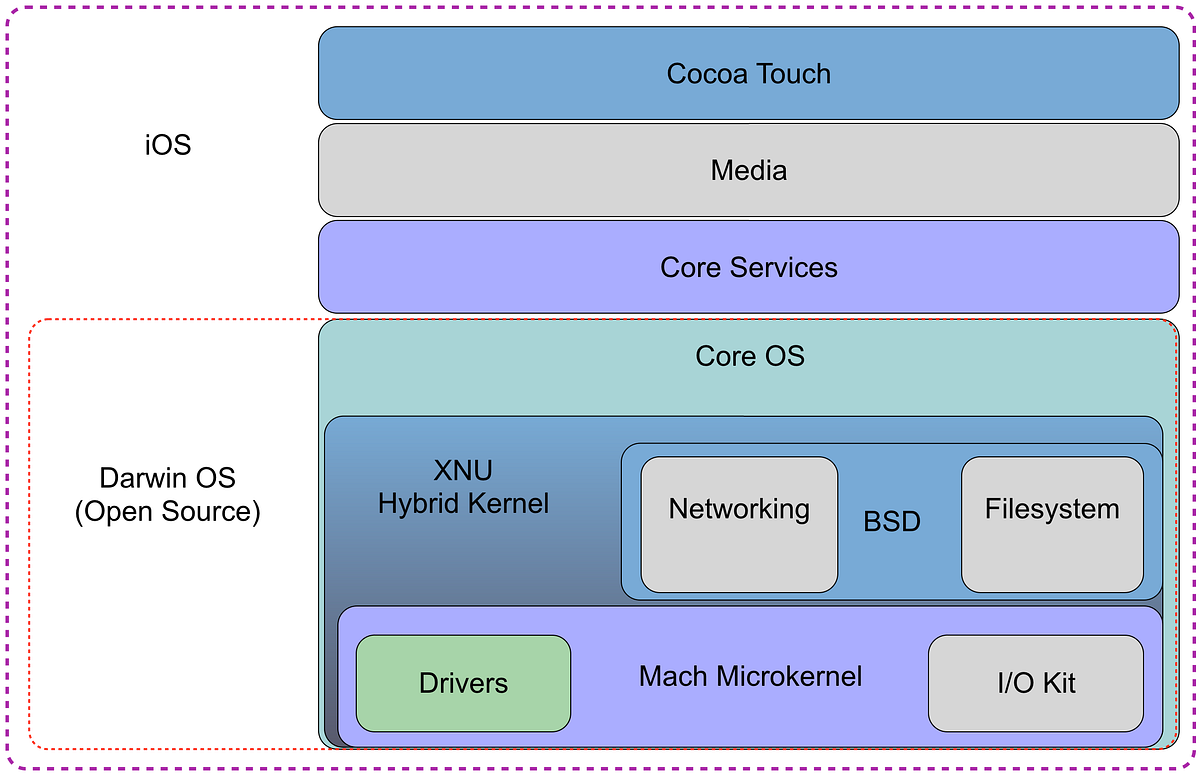
XNU Kernel
From this, we can understand that macOS is a combination of Mach, BSD, and NeXTSTEP. This is where Mac OS X was born, bringing a UNIX-based system that is more stable, has a terminal, and is more developer-friendly.
And now it makes sense why macOS feels similar to Linux, because they both share the same root: UNIX (so it’s not just a coincidence).
The History of Linux
Now let’s move to Linux, we’ll keep this a bit shorter (so it doesn’t get too long).
Linux is also inspired by UNIX, but interestingly, it doesn’t use any UNIX source code at all. So technically, Linux is not UNIX (or you might’ve heard “GNU is not UNIX” haha). Still, it follows the same philosophy: modular design, everything is a file, and a CLI-driven workflow.
Before Linux became what it is today, there was the GNU Project, created by Richard Stallman in 1983. The goal was to build a free and open-source operating system. However, it didn’t have a kernel (this was the missing piece). So GNU focused on building tools, compilers, shells, and other components.
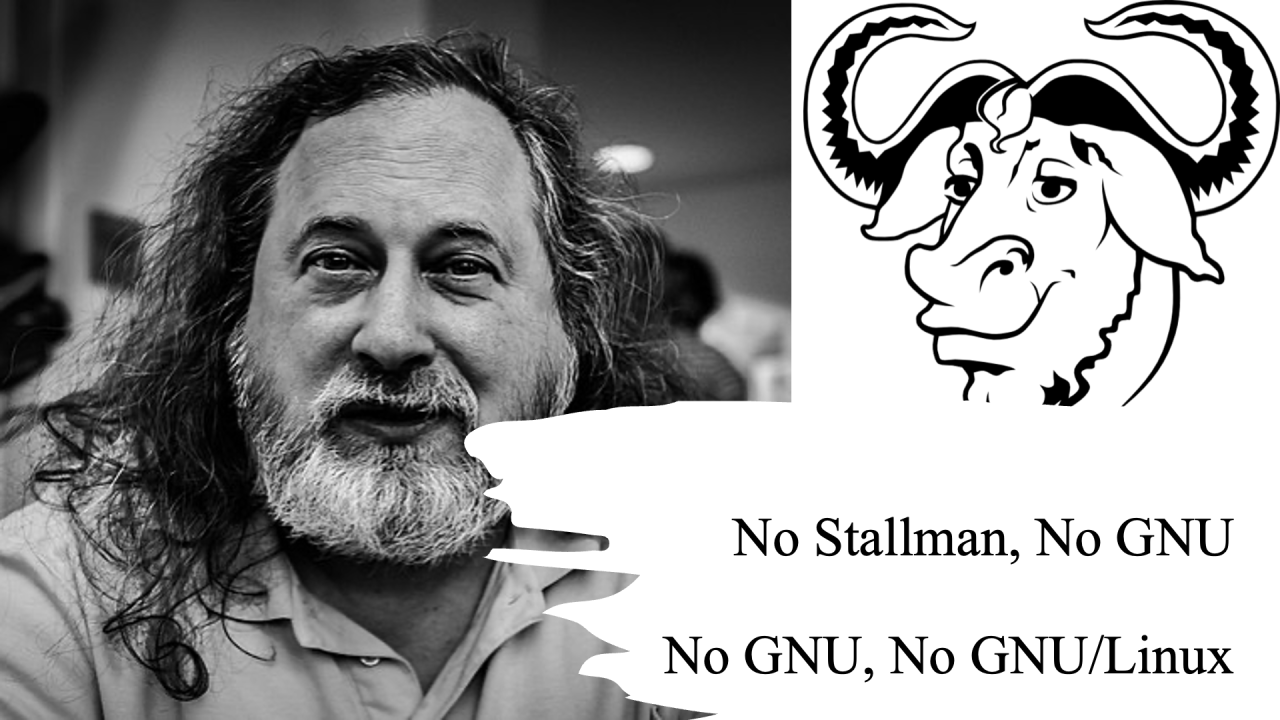
Stallman & GNU Project
Then comes the legend that almost every Linux user knows: Linus Torvalds. In 1991, Linus created a kernel called Linux (and yeah, now we know Linux itself is just a kernel, not a full OS hehe). He built it as a personal project inspired by Minix, for his own PC, and posted it online as just a hobby (and now it became one of the biggest things in tech, crazy right haha).
Linus combined Linux with GNU tools, resulting in GNU/Linux. Because it’s open source, it triggered massive contributions from developers around the world.

Linus Torvald
This is also where various Linux distributions came from, like Ubuntu, Fedora, Arch, Debian, etc. Basically, distros differ in packaging, appearance, and package managers, but internally they all use the same Linux kernel (so yeah, same core).
Why Do They Feel Similar?
Now we understand the history of both systems and why they feel so similar. macOS comes from a long lineage of UNIX through BSD and NeXTSTEP, while Linux is a reimplementation that follows the same philosophy. They are fundamentally very different internally, but why do they feel the same?
There’s one important piece that ties everything together, and we haven’t really emphasized it enough: POSIX.
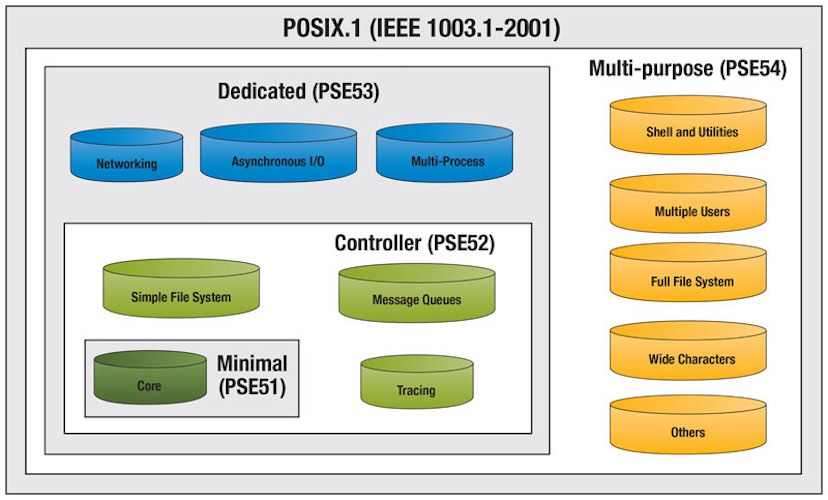
POSIX
POSIX was developed during the UNIX era as a standard for UNIX and UNIX-like operating systems. But it’s not just some random standard (this part is actually really important, seriously). POSIX basically defines how an operating system should behave from the perspective of applications. It standardizes things like command-line behavior, system calls, APIs, and shell environments.
Because both macOS and Linux follow POSIX (to a large extent), they end up “speaking the same language” at the user level. This is why when you use the terminal, run commands like ls, cd, grep, or even write shell scripts, everything feels almost identical.
So even though the kernel, system core, and internal architecture are completely different, the interface that developers and users interact with is standardized. And since most of our daily interaction with an OS happens in userland, especially through CLI tools, this similarity becomes very noticeable (which is why it feels almost identical).
At this point, it becomes clearer. The similarity between macOS and Linux doesn’t come from them being the same system, but from them following the same rules.
macOS is built on top of a UNIX lineage and is officially UNIX-certified, while Linux is not UNIX but follows the same design principles and standards. POSIX acts as the bridge between them, making two fundamentally different systems feel almost identical on the surface.
So in the end, what we’re experiencing is a bit of an illusion (in a good way). At the surface level, especially in the terminal, macOS and Linux feel like the same system. But underneath, they are built on very different foundations, with different kernels, different histories, and different philosophies.
And that’s probably the most interesting part. Similarity lives in the userland, but difference lives in the kernel.